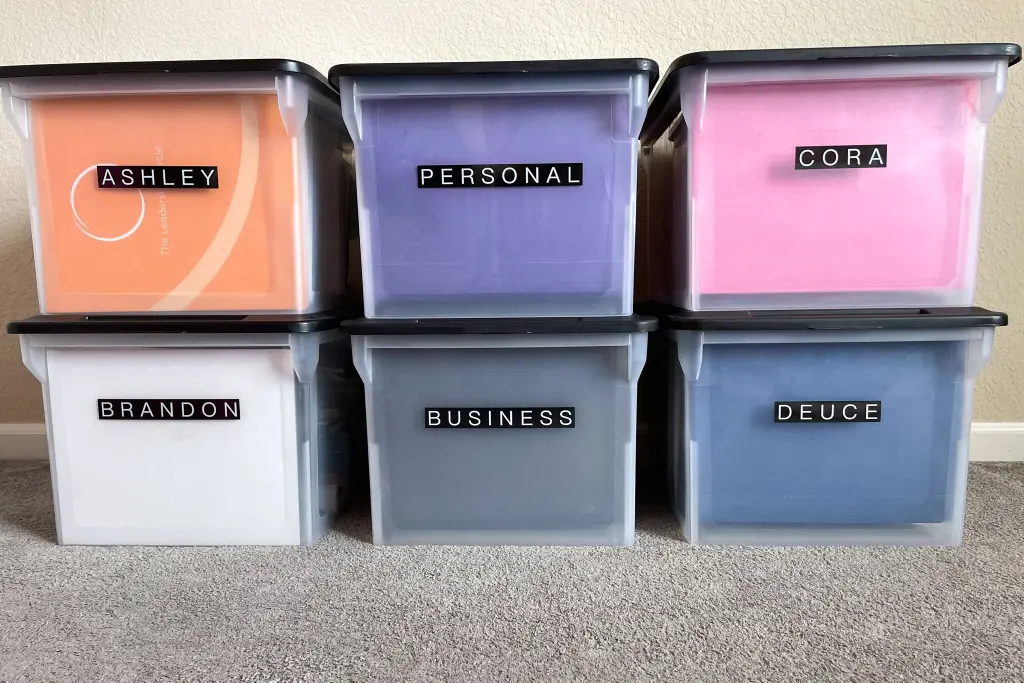
Few household experiences cause more immediate stress than hunting for an essential piece of paper under pressure. Whether you need a birth certificate for a passport application, a property deed during a home sale, or an auto insurance policy following an accident, digging through miscellaneous drawers and unsorted envelopes wastes critical time and creates unnecessary panic.
Most households accumulate paperwork simply because deciding what to keep and where to put it feels overwhelming. Over time, expired utility bills sit alongside irreplaceable title deeds, obscuring what genuinely matters.
Creating an organized home document system does not require commercial filing equipment or complex software. It requires a clear sorting framework, a safe place for vital papers, a functional active file for everyday business, and a routine that stops paper clutter before it accumulates.
1. The Four-Tier Document Sorting Framework
Before purchasing folders or filing bins, gather every piece of paper in your home into a single workspace. To avoid paralysis, sort every document into one of four distinct functional tiers:
+--------------------+-----------------------------------------------------+-----------------------------+
| Category Tier      | Examples of Documents                               | Storage Method              |
+--------------------+-----------------------------------------------------+-----------------------------+
| Tier 1: Vital      | Birth certificates, social security cards, passports,| Fireproof/waterproof safe   |
| (Permanent)        | marriage licenses, wills, property deeds, car titles| (or safe deposit box)       |
+--------------------+-----------------------------------------------------+-----------------------------+
| Tier 2: Multi-Year | Tax returns (3–7 years), major medical records,     | Hanging file box or cabinet |
| (Tax & Financial)  | home improvement receipts, active loan agreements   | with labeled folders        |
+--------------------+-----------------------------------------------------+-----------------------------+
| Tier 3: Active     | Unpaid bills, current insurance policies, active    | Desktop desktop tray or     |
| (Short-Term/Action)| warranties, current year tax deduction receipts     | quick-access binder         |
+--------------------+-----------------------------------------------------+-----------------------------+
| Tier 4: Discard    | Expired warranties, old utility bills, expired      | Cross-cut shredder or       |
| (Recycle/Shred)    | policies, junk mail, outdated bank statements       | recycling bin               |
+--------------------+-----------------------------------------------------+-----------------------------+
Deciding What to Keep Versus Shred
A major reason filing cabinets become unmanageable is retaining low-value documents out of habit:
-
Shred Immediately: Expired credit cards, old utility statements, junk mail with pre-approved offers, and payment receipts for items you will never return.
-
Retain for Tax Purposes: According to IRS guidelines, general tax returns and supporting records should typically be kept for at least three years, expanding to six or seven years if specialized claims, unrecorded income thresholds, or loss write-offs apply.
-
Keep for the Life of the Asset: Retain real estate closing papers, vehicle titles, and receipts for major home renovations until the property or vehicle is sold to support capital gains or basis calculations.
2. Setting Up Your Physical Filing Stations
Trying to force all papers into a single desk drawer creates clutter. Instead, divide your system into two dedicated physical stations: a secure vital safe and an accessible working file.
Station A: The Fire-Resistant Vital Document Safe
Vital documents are difficult or expensive to replace and must be safeguarded against both physical damage and theft.
-
Use a portable, UL-listed fire-resistant and waterproof box.
-
Inside the safe, store documents inside heavy-duty, clear plastic waterproof envelopes rather than loose paper folders.
-
Keep a complete inventory sheet attached to the inside lid listing every vital document and where digital copies are backed up.
-
Store the safe in a discreet, dry location off the ground to protect against minor pipe leaks or flooding.
Station B: The Desktop Action Tray and Hanging File Box
For all regular household matters, set up a simple hanging file container. Avoid overly granular categories; broad folders prevent filing friction.
Organize your hanging folders into core life areas:
-
Home & Utilities: Lease agreements, mortgage summaries, utility contracts, and appliance manuals.
-
Vehicles: Maintenance logs, registration renewals, and repair records.
-
Healthcare: Vaccination records, policy coverage summaries, and ongoing prescription details.
-
Insurance: Active policies for home, auto, life, and umbrella coverage.
-
Taxes (Current Year): A dedicated folder to drop donation receipts, forms, and business expenses as they arrive during the year.
3. Creating a Simple Digital Backup System
Physical paper remains necessary for legal and governmental processes, but a searchable digital archive allows you to retrieve policy numbers or records within seconds from a phone or laptop.
Step 1: Scan with Your Smartphone
You do not need a flatbed scanner. Use the built-in document scanning features available in default mobile files or notes applications. They automatically crop, flatten, and produce clean multi-page PDF documents.
Step 2: Use a Standardized File Naming Convention
A document archive is only as good as its file names. Avoid generic names like Scan_001.pdf. Use a simple, chronological format:
-
YYYY-MM-DD_Category_Description.pdf -
Examples:
2026-04-15_Taxes_FederalReturn.pdf,2026-06-10_Auto_BrakeRepairReceipt.pdf
Step 3: Secure Your Digital Backups
Paper copies can burn; digital drives can fail. Follow the standard “3-2-1” principle:
-
Store your working digital files on your computer.
-
Maintain a local copy on an external hard drive.
-
Keep an encrypted, password-protected copy in secure cloud storage with two-factor authentication enabled.
4. The Maintenance Routine: How to Keep It Functional
A filing system will inevitably fail if maintenance is postponed into an annual marathon chore. Protect your system using two simple habits:
The One-Touch Mail Rule
Never bring daily mail into the house and leave it in a loose pile on the kitchen table or counter. Stand directly over your recycling bin or shredder when opening mail.
-
Immediately recycle advertisements and envelopes.
-
Drop items requiring payment or action into your single “Active/Action” tray.
-
File permanent records immediately into their corresponding folder.
The Annual January Purge
Set an annual calendar reminder in January. Take thirty minutes to:
-
Move the previous year’s tax deduction folder into multi-year storage.
-
Discard expired insurance policy booklets that have been replaced by new annual terms.
-
Shred receipts for electronics or household goods that have passed their warranty period.
Frequently Asked Questions
Is it legally acceptable to keep digital copies of my documents instead of original paper?
For many everyday matters, such as insurance policies, bank statements, medical bills, and tax supporting receipts, clean digital PDF copies are widely accepted. However, vital records such as original birth certificates, death certificates, adoption paperwork, divorce decrees, naturalization papers, and notarized original wills must be kept in their original physical paper format with official seals intact.
How should I safely dispose of sensitive paperwork I no longer need?
Always use a cross-cut or micro-cut shredder for any document displaying your full name, home address, account numbers, date of birth, or social security details. Strip-cut shredders leave readable bands that can be reassembled. If you have years of accumulated paper, use a certified local community document shredding day or secure drop-off facility.
What is the “Grab-and-Go” emergency binder method?
An emergency binder (often called a “Go-Bag Binder”) is a single portable binder containing photocopies of your family’s driver’s licenses, passports, insurance cards, emergency contact numbers, medical histories, and pet immunization records. In the event of an evacuation, you can take this binder immediately without needing to open or move a heavy fireproof safe.
Should I keep user manuals for small home appliances?
In almost all cases, no. Nearly every manufacturer publishes PDF versions of appliance manuals online. Unless a manual contains an affixed physical warranty card or proof of purchase, discard paper manuals and simply bookmark or download the digital PDF when a troubleshooting issue arises.